

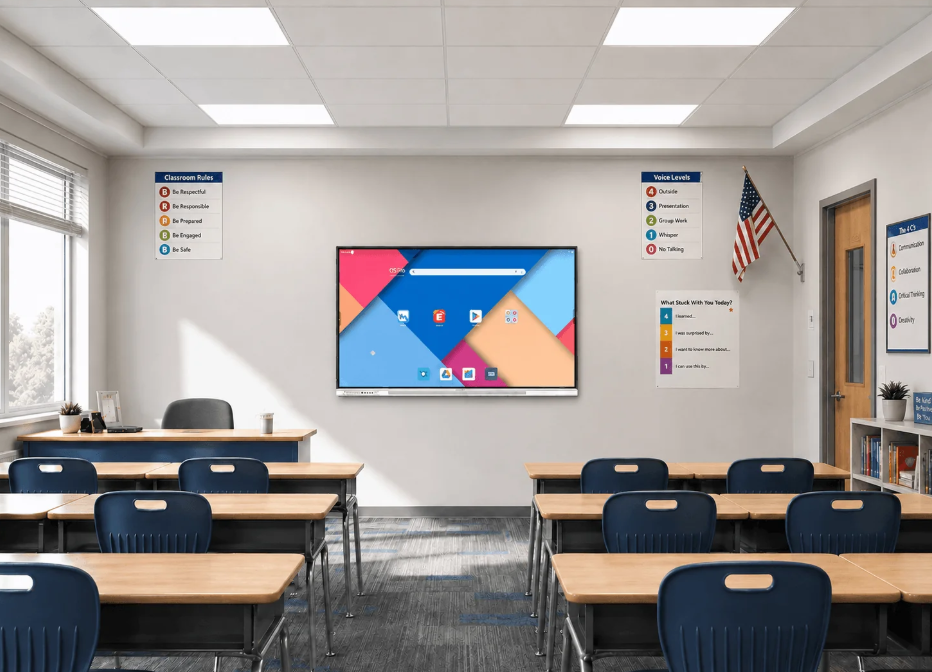
In a classroom, students do not all sit at the same distance from the teaching screen. Those in the front row may read small text with ease, while students at the back struggle to follow a detailed chart or a worked example. This difference becomes more noticeable when teachers display equations, maps, or annotated diagrams. Screen size should therefore reflect how students actually use the display during lessons.
For schools planning an upgrade, Nework provides interactive display solutions for teaching and collaboration. Its NewBoard range supports touch interaction, wireless screen sharing, and collaborative annotation. School administrators and purchasing teams can explore the Nework K–12 solution to assess how these features may fit their classrooms, teaching routines, and equipment budgets.
Start With Classroom Dimensions and Viewing Distance
The first step is to assess the room rather than choose a screen based on a product catalogue. Measure the distance from the display wall to the farthest student seat. Also consider the width of the room and the number of seating rows. These details help determine whether students can read ordinary text and follow visual explanations from different positions.
A Nework smart board for classrooms should be evaluated in relation to the teaching environment, not just its diagonal measurement. A display may appear large when viewed from the front but become difficult to read from the back. Schools should check sample text, charts, and lesson slides from several seats before confirming a purchase.
Room layout also affects placement. Windows can create reflections, while ceiling lights may reduce screen visibility at certain angles. The display should be positioned where teachers can reach it comfortably and students have a clear view. Schools should review wall space, mounting height, power access, and cable routes before installation.
Match Screen Size to Student Age and Class Size
K–12 classrooms serve students with different learning needs. In early primary grades, teachers may use large images, letter recognition activities, handwriting demonstrations, and simple interactive exercises. The display should make these materials easy to follow while allowing students near the front to interact without crowding the teaching area.
Middle and secondary school lessons often involve more detailed content. Students may need to read equations, compare diagrams, examine maps, or review several pieces of information on one screen. A larger display can provide more usable viewing space, but its value depends on resolution, content layout, and the distance between the screen and the students.
Higher education introduces different requirements. Seminar rooms may rely on discussion and shared annotation, while lecture rooms may display research figures, technical drawings, or presentation slides to a larger audience. Procurement teams should assess the largest regular class, not only the room’s typical attendance. They should also consider whether the display will support group work or mainly serve as a teaching screen.
Consider How Teachers Use the Display
Screen size should reflect daily teaching activities. A teacher who mainly presents slides may have different needs from one who frequently annotates diagrams, moves objects on screen, or invites students to solve problems at the display. Schools should identify the activities that occur most often before comparing models.
Interactive features can also affect how much screen space teachers need. The NewBoard E-Series supports interactive teaching, allowing teachers to bring lesson materials together on an interactive whiteboard and annotate content during instruction. Multimedia tools and access to educational apps can add variety to classroom activities.
Wireless sharing is another practical consideration. Teachers may use Chromebooks, iPads, laptops, or Android devices to present work and share learning materials. The E-Series supports wireless content sharing from these devices. Schools should consider how often teachers switch between sources and whether the display can accommodate their established teaching routines.
A larger screen is not automatically more useful if teachers cannot reach its interactive areas comfortably or if it leaves insufficient space for other classroom equipment. The goal is to balance visibility, interaction, and ease of use.
Compare Installation Costs and Daily Usability
The purchase price is only one part of a classroom display project. Schools should also account for mounting hardware, installation labor, electrical access, network requirements, staff training, and future maintenance. A screen that requires extensive room modifications may increase the total project cost.
Before selecting a Nework smart board for classrooms, procurement teams should compare the complete installation requirements across candidate models. Check the display dimensions, mounting specifications, available connections, and compatibility with existing devices. Confirm these details with the supplier rather than assuming that screens of similar sizes share the same installation needs.
Maintenance deserves similar attention. Teachers should be able to start lessons, connect devices, and access materials without a complicated setup process. IT teams should review software management, connectivity, troubleshooting procedures, and available technical support. A clear support arrangement can reduce disruption when equipment needs attention.
Schools planning installations across several classrooms should also consider consistency. Using a suitable standard configuration can simplify staff training and spare-part planning. However, rooms with different dimensions or teaching purposes may require different screen sizes. A single model should not be selected for every room without reviewing actual usage conditions.
Choose for the Learning Environment
The right classroom display size depends on viewing distance, student numbers, lesson content, and room layout. K–12 schools should prioritize visibility and age-appropriate interaction, while higher education institutions may need additional space for detailed materials and group discussion. Installation requirements and ongoing support also deserve attention during procurement.
Nework provides interactive display solutions for educational settings, including the E-Series for K–12 teaching. Schools can review its features and discuss their classroom requirements with the company before deciding which configuration fits their teaching goals and budget.
