

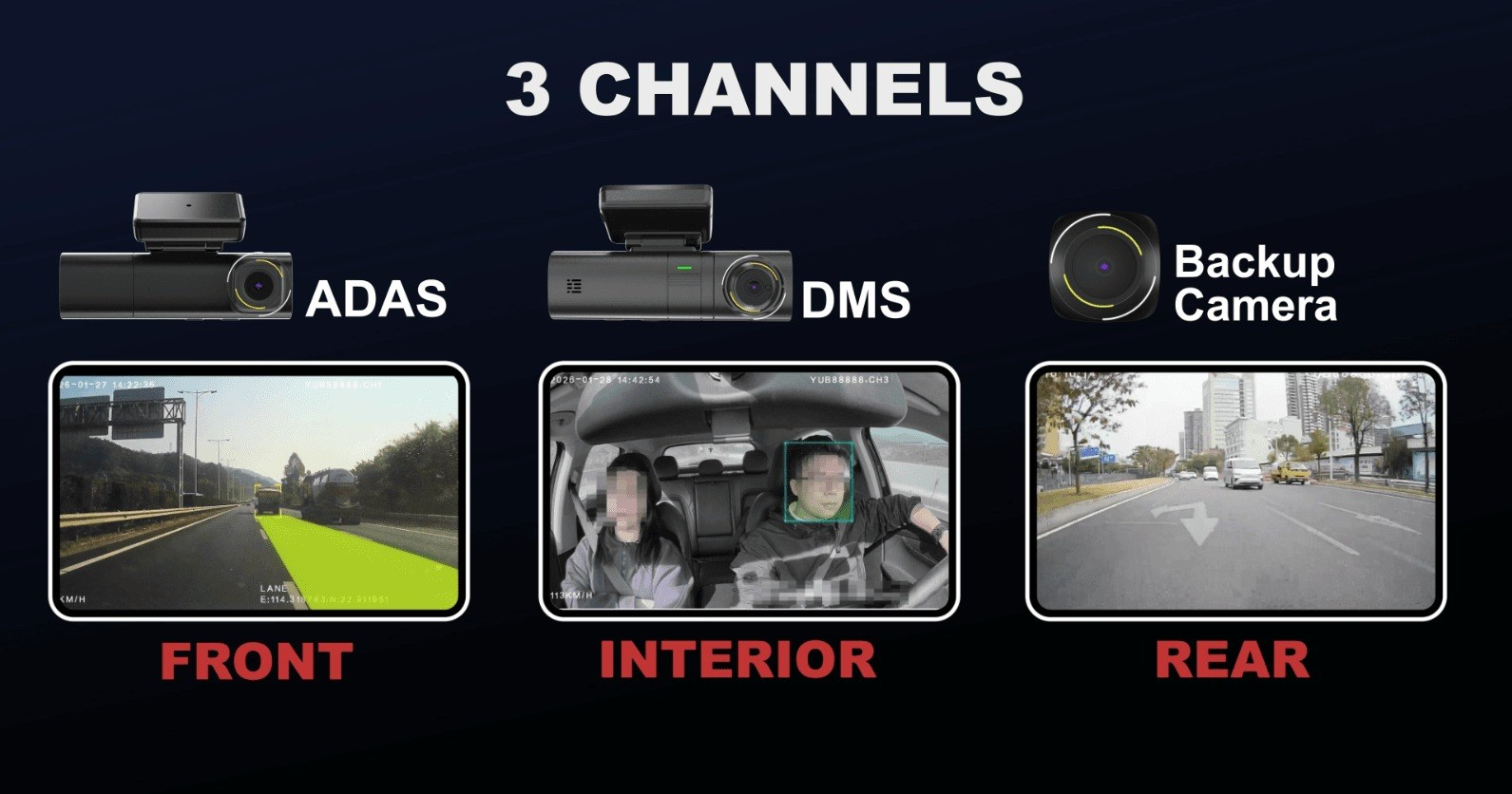
Three-camera coverage can give a truck fleet more useful context than a single forward view, but the benefit depends on where the cameras are placed and how their footage is synchronized. When deployed correctly, a 3 channel dash cam with GPS can combine road, driver, and an additional cabin or external view with location data, helping safety teams understand both the event and the vehicle’s operating context.
The installation plan matters as much as the channel count. A 3 camera dash cam for trucks has to work around large windscreens, mirrors, sleeper cabs, vibration, changing trailers, and different electrical layouts. Before mounting hardware, buyers should define the purpose of each view first, then validate wiring, image quality, and network performance on representative truck models.
Assign Each Camera to a Specific Risk Question
The forward channel usually supports road-event review and driver-assistance functions, while an in-cab camera can provide context for fatigue or distraction. The third channel can be assigned to another operational priority, such as the cabin, a side area, or another supported external view. The choice should be based on the incidents the fleet needs to investigate rather than on a generic diagram.
Multi-channel evidence becomes more useful when a 3 camera dash cam for trucks keeps timestamps consistent and allows the channels to be retrieved together. Reviewers should be able to compare what happened ahead of the vehicle with driver behavior and the third view without manually aligning separate files. GPS data adds another reference point by showing where the truck was and how the trip progressed around the event.
Each camera position needs testing under day, night, glare, rain, and vibration conditions. A view that looks correct in a parked truck may become blocked by a sun visor or produce reflections after dark. Mounting trials can also reveal whether service technicians can reach the device without disturbing other equipment or creating excessive workshop time.
The third camera can be standardized differently for each truck group while the first two views remain common. One fleet may use it for a passenger seat or sleeper area, while another may select a side or rear view supported by the hardware. Documenting that purpose in the vehicle profile prevents technicians from treating the extra channel as an arbitrary accessory and keeps evidence consistent within each operating group.
Integrate AI Events with Multi-Channel Evidence
AI functions can reduce the amount of footage that safety teams need to review by flagging selected road or driver conditions. Those alerts still require calibration because false positives and missed events affect driver trust and workload. The fleet should define thresholds, review a sample of events, and document how alerts are used for coaching or incident analysis.
As a three-channel example, the DR03 from BSJ Technology combines a 1.0 TOPS AI NPU and Linux platform with ADAS and DMS functions, HD video recording, 4G LTE Cat.4 connectivity, and multi-constellation GNSS support. As an example of a 3 channel dash cam with GPS, it shows how video, AI, connectivity, and positioning can be combined in a compact fleet device.
The third channel should also be included in data and storage calculations. More video increases local retention requirements and can raise upload volume if multiple channels are sent to the cloud. Buyers can specify which channel accompanies each alert, whether live viewing is needed, and how long full recordings remain on the device before overwrite.
Power and connectivity should be tested together with the cameras because multi-channel video places more load on the device. The installation team can verify startup after ignition, local recording during poor network coverage, recovery after reconnect, and the effect of live viewing or event uploads on cellular use. These tests reveal whether the full three-channel configuration behaves reliably during a normal working day.
Standardize Truck Installation and Ongoing Support
Commercial fleets often contain several cab designs, so one mounting instruction may not fit every truck. The rollout plan can define approved positions by vehicle model, cable paths, power connections, external-camera sealing where relevant, and a final commissioning checklist. Photographic installation records make later service and quality audits easier.
BSJ Technology highlights hardware engineering, customization, OEM/ODM flexibility, and global technical support as commercial-project strengths. Those capabilities can be relevant for a fleet solution provider that needs different camera accessories or branded integration, but the project should still document connector standards, replacement parts, firmware compatibility, and support escalation before volume deployment.
Coverage quality remains the most useful deployment benchmark. The fleet should be able to identify the road event, understand driver context, and use the third view for its intended risk without unnecessary blind areas. When the installation is repeatable and the evidence is easy to retrieve, three-camera architecture can support a more complete safety workflow than additional channels added without a defined operational purpose.
Routine camera maintenance should include alignment checks as well as device-status review. A bracket can move after windscreen work, cab repairs, or repeated vibration even when the recorder remains online. Periodic visual checks and sample footage reviews help confirm that each channel still answers its original risk question, especially for external or auxiliary views that are easier to knock out of position. That simple check helps preserve the value of the third channel throughout the vehicle’s service life.
